Social Home
Pricing
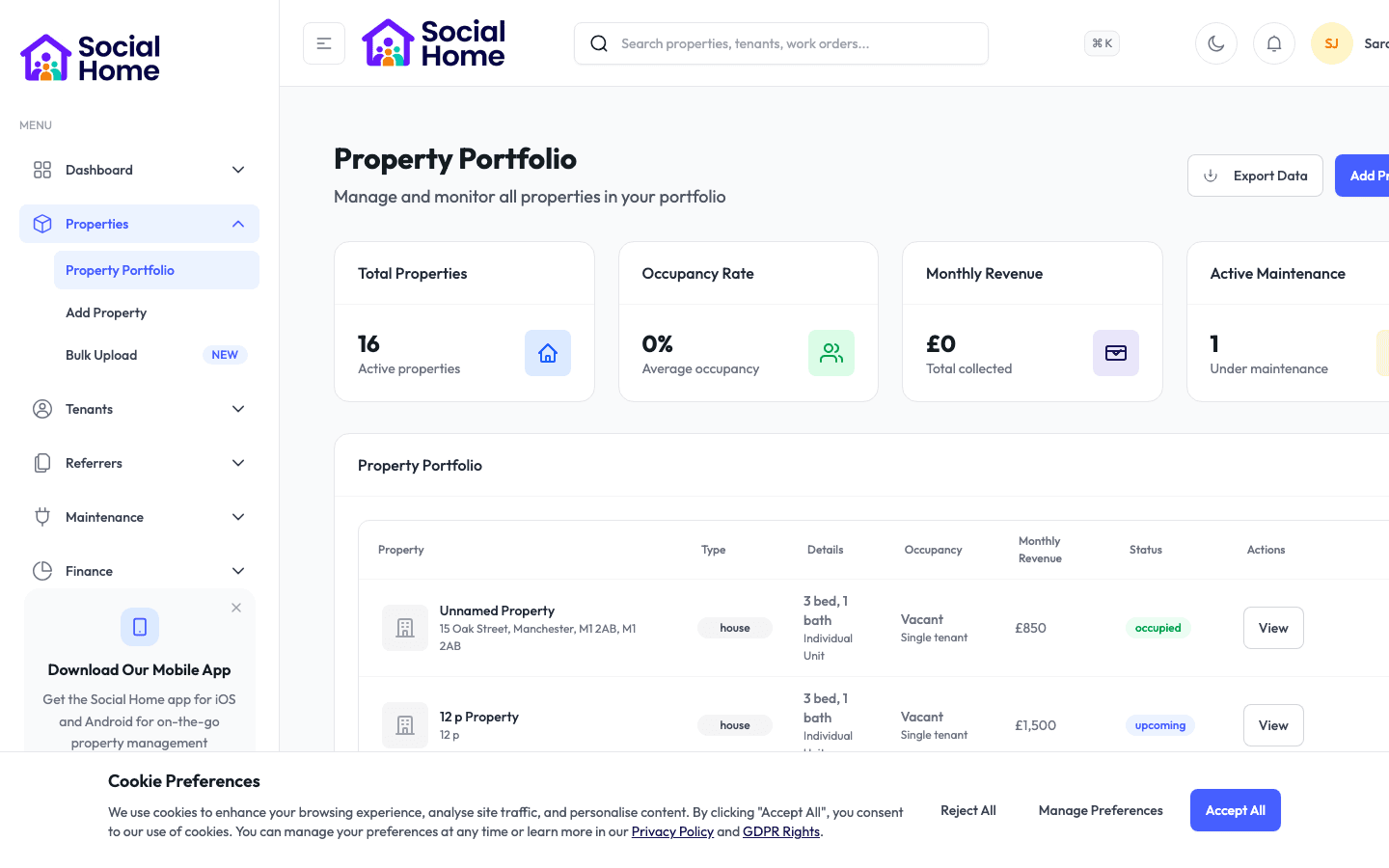
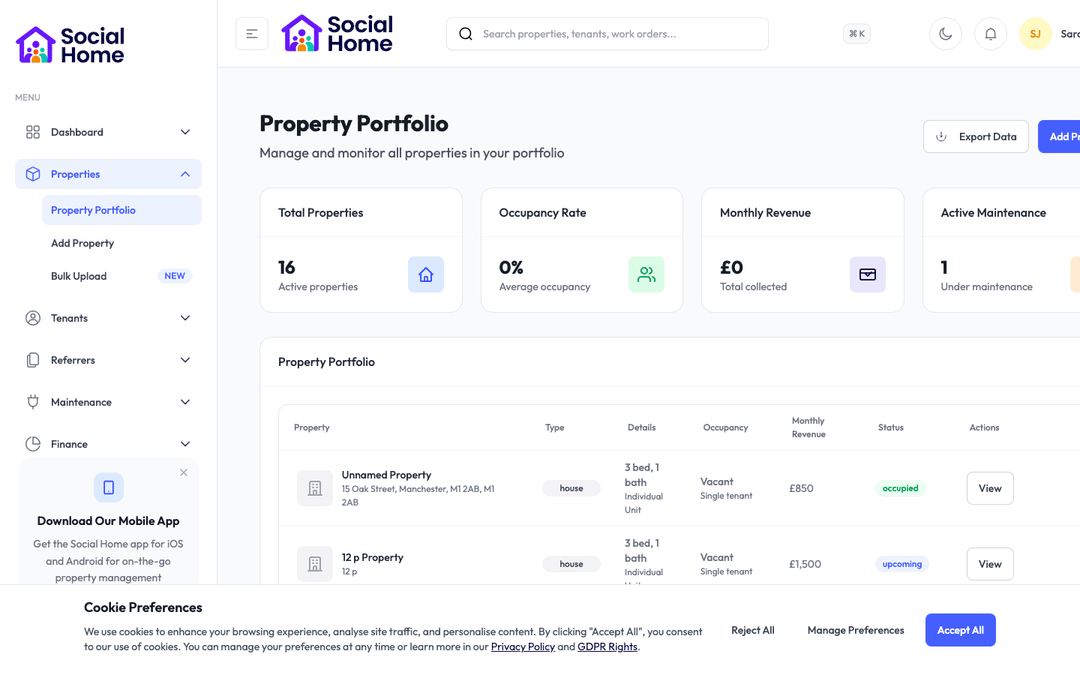
Property portfolio view with occupancy insights

Lettings teams & HMO managers

Make every move-in calm, complete, and properly recorded

Guide your team through the handover, capture the property condition, and give tenants a clear start from day one.

Move-in day is where small gaps become long-term problems. A missing key photo, an unsigned checklist, a forgotten meter reading, or a disputed sofa mark can turn into weeks of messages later. Social Home brings the move-in checklist and property inventory into one guided journey, so your team knows exactly what to confirm before a tenant settles in. Room condition, furniture, appliances, keys, access details, safety reminders, meter readings, and welcome information can all be checked, photographed, and stored against the right tenant and property. Tenants get a more professional handover, managers get a cleaner record, and everyone starts the tenancy with fewer grey areas. It is the difference between hoping the move-in went smoothly and knowing it did.

See this feature in actionCompare alternatives
Move-in evidence in one place

Why teams invest

  • • Record move-in evidence before disputes can start
  • • Connect inventory, welcome, rules, and access in one journey
  • • Give tenants a clearer first day in the home

Available on all devices

Access from your computer: full

Use on your mobile device: full

Your team can work seamlessly whether they're in the office or out in the field. Everything stays in sync automatically, so you always have the latest information at your fingertips.

Pain point

Move-ins rely on memory and scattered notes

When staff use paper checklists, phone photos, and email reminders, the record is only as good as the person holding it together. Important details are easy to miss on a busy move-in day, especially when multiple tenants are arriving in the same week.

  • • Give staff a clear checklist for every move-in step
  • • Store photos, notes, and confirmations on the right tenant record
  • • Reduce disputes by recording condition before the tenancy begins
  • • Help new staff run a professional handover without guesswork
Pain point

Inventory disputes appear months later

A scratch on a table or a missing appliance manual may feel small on day one, but it becomes awkward when nobody can prove what was present or damaged at the start. Without a dated inventory, both tenants and landlords are left relying on memory.

  • • Capture room-by-room inventory with photos and condition notes
  • • Record furniture, appliances, keys, meters, and safety items together
  • • Keep an evidence trail that is easy to find later
  • • Give tenants confidence that the starting condition is fair

Pain point

Tenants start with avoidable questions

When the handover is rushed, tenants leave without knowing where things are, what has been checked, or what happens next. That creates immediate messages about keys, access, Wi-Fi, bins, repairs, and house expectations.

  • • Connect the checklist with the welcome pack and house rules
  • • Make access, safety, and reporting steps clear from day one
  • • Show tenants what has been recorded and what still needs action
  • • Start the relationship with clarity instead of confusion

Key capabilities

What you'll love about this feature

A guided handover from keys to condition

Your team can follow a structured move-in flow that covers the practical steps tenants care about most: keys, access codes, meter readings, room condition, furniture, appliances, safety information, and next actions.

  • • Checklist sections keep every handover consistent
  • • Photos and notes stay attached to the right property and tenant
  • • Managers can see what is complete and what still needs attention
  • • The same process works across rooms, HMOs, studios, and family homes

What this means for you: fewer missed steps, a cleaner audit trail, and a more confident tenant on day one.

Inventory evidence tenants can trust

A fair inventory protects both sides. Social Home helps you record what is in the room, what condition it is in, and what needs follow-up, so everyone starts from the same evidence rather than a later argument.

  • • Room-by-room records for furniture, appliances, and shared items
  • • Condition notes and photos captured at the start of the tenancy
  • • Linked maintenance tasks for anything that needs fixing
  • • A clear record for move-out comparison later

What this means for you: fewer deposit disputes and less time reconstructing what happened months ago.

The move-in journey stays connected

The checklist does not live alone. It connects naturally with welcome packs, access details, house rules, shared-house chat, and tenant rota setup, so the tenant’s first week feels joined up.

  • • Send the welcome pack as part of the handover
  • • Make house rules visible before shared living begins
  • • Confirm access details and key handover in the same journey
  • • Prepare shared duties so the tenant joins the house fairly

Time-saving benefits

Save time on every handover without rushing the tenant

Social Home keeps the move-in process organised, so staff do not have to rebuild a checklist for every tenancy. The same reliable steps can be reused, tailored, and completed with evidence as the handover happens.

  • • Reusable move-in checklists reduce repeated admin
  • • Photos and notes are filed as they are captured
  • • Incomplete steps stay visible after the tenant has moved in
  • • Follow-up repairs and reminders can be created from the checklist

Real-world scenarios

See how this works in practice

Scenario: a new tenant arrives at a shared house

The officer opens the move-in checklist, confirms keys and access, photographs the room, records the furniture condition, sends the welcome pack, and marks the house rules as shared. The tenant leaves the handover knowing what has been checked and where to find everything.

  • • The handover feels professional and complete
  • • Evidence is captured while everyone is present
  • • Questions about access, rules, and next steps are reduced

Scenario: a condition dispute appears later

Months after move-in, a tenant queries whether a chair was already damaged. Instead of searching old messages, your team opens the original inventory record and sees the dated photo and note from handover day.

  • • Resolve disputes with evidence, not memory
  • • Protect both the tenant and the landlord
  • • Keep move-out conversations calmer

See it in action

Real screenshots from Social Home

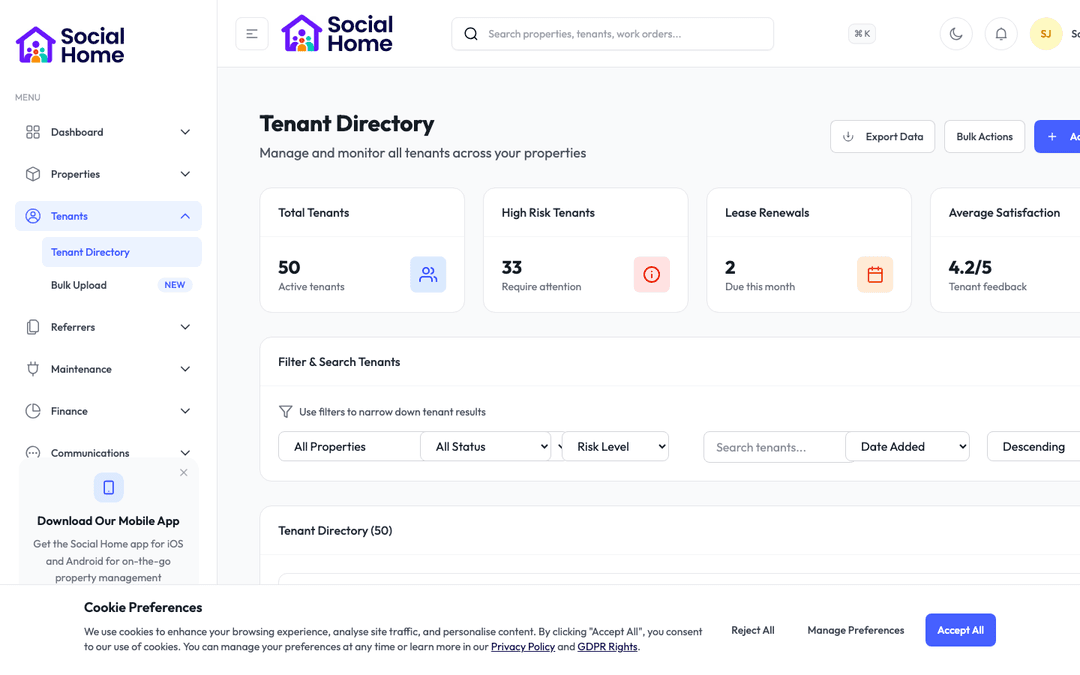
These screenshots show exactly what you'll see when you use this feature. Every detail is designed to make your work easier and more efficient.

Property portfolio view with occupancy insights
Tenant 360 with risk and arrears context
Maintenance and compliance task board

Customer perspective

“The biggest change is confidence. We know what was checked, what was photographed, and what the tenant received on day one. It has made move-ins feel calmer for our staff and much clearer for tenants.”

Amira Collins — Lettings Manager

FAQs

Everything teams ask before they sign

Can we customise the move-in checklist?

Yes. You can shape the checklist around the way your organisation works, including different steps for HMOs, family homes, studios, supported housing, or short-term stays. The goal is a consistent handover without forcing every property into the same script.

Does this replace a formal inventory?

It gives your team a structured way to capture inventory evidence, condition notes, and supporting photos in one place. Many teams use it as their operational inventory record, while still exporting or sharing information where a formal process requires it.

Can tenants see what has been recorded?

The tenant-facing parts of the journey can be shared through the welcome pack or tenant portal, while internal notes stay controlled for your team. That means tenants get useful clarity without exposing private operational information.

How quickly can we get started?

Most teams are up and running within a week. We provide comprehensive onboarding support, including training sessions for your team, data migration assistance, and dedicated support to ensure a smooth transition. You can start using the platform immediately while we help you import your existing data.

Back to all features →Property Inventory & Professional ReportsWelcome PackHouse RulesAccess Codes

Ready to Transform Your Move-In Checklist & Inventory?

See how move-in checklist & inventory can transform your operations and help you serve your tenants better. Get started with the Social Home platform today.

Book a Free DemoTalk to SalesSee Pricing

See the workflow, discuss your setup, and choose the right plan for your team

Social HomeSocial Home

Making property management simple and accessible for everyone. Find your perfect home or manage your properties with ease.

Stay Updated

Prefer to explore on your own? Browse the platform features →

Rental Services

  • Find rentals
  • Pricing
  • Jobs
  • Contact

Resources & Guides

  • Blog
  • Resources
  • Social Housing Software
  • HMO Compliance Software
  • Exempt Accommodation
  • Supported Housing Software
  • Planning Permissions
  • BRR Calculator
  • Compare Solutions
  • Tenant Portal
  • Landlord Energy
  • Planning Search

Platform Features

  • Feature overview
  • Property management
  • Tenant management
  • Maintenance & repairs
  • Compliance & safeguarding
  • AI insights & automation
  • Mobile workforce app
  • Mobile App
  • Manage Properties
  • Council Partners
  • Success Stories

Terms & Privacy

  • Trust & Safety
  • Terms of Service
  • Privacy Policy
  • GDPR Rights
  • Disclaimer
  • Subscription Terms
  • Request account deletion
  • Social Housing Providers
  • Supported Living
  • Find Work
  • AI Transparency

Get the Social Home app

Download on the App StoreDownload on the App StoreGet it on Google Play

Google Play and the Google Play logo are trademarks of Google LLC.

© 2026 Social Home. All rights reserved.

InstagramLinkedIn
Built by Veya